Communication is the act of exchanging messages between two people. Its aim is to mutually convey meanings, emotions etc. Messages are composed of the verbal (words) and non‑verbal part (i.a. facial expression, gestures, the tone of voice).
Many ways of communication are available nowadays, among others:
face‑to‑face communication,
by telephone (conversation, SMS etc.),
online communication (chat programmes, instant messengers, electronic mail),
Online chatonline chatOnline chat is a kind of communication between two (or multiple) computer users over the internet or other computer network. It consists in the alternate transmission of text messages. There are many web sites with chatservices, enabling both private conversation and communication in chatrooms, which are often thematically categorised (i.a. by hobbies – e.g. football, regions – e.g. Warsaw, Chicago – or age groups – e.g. teenagers, people over 20 etc.). The participants of online chats ususally do not use their real first names and surnames, but nicknames, also called nicks. You can also come across online chats in online games.
An instant messengerinstant messengerinstant messenger is a computer programme which enables a user sending instant messages between two (or multiple) computers. It differs from electronic mail in that, apart from the rapid exchange of messages, it also displays information about the status (presence) of other users. Instant messengers may be used to transmit text messages and video conference calls. The most popular instant messengers are, among others, Skype, Facebook Messenger and WhatsApp.
The limitation of instant messengers is that in the majority of cases a user can communicate only with the user of the same application.
With the advent of online chats and instant messengers the users of both services received another means of expressing their emotions – emoticons. Initially they were ideograms consisting of the sequence of characters which usually represented a facial expression rotated by 90°. The examples of emoticons are :-), :-P, :-D. Currently emoticons are being replaced by the so called emojis, or graphical emoticons.
R2WDi81KUYJnR
Ilustracja interaktywna przedstawia przykłady emotikon oraz sposoby ich zapisu za pomocą znaków bezpośrednio z klawiatury. 1 - uśmiechnięta buźka, obok dwukropek, zamykający nawias okrągły oraz dwukropek, myślnik, zamykający nawias okrągły. 2 - szeroko uśmiechnięta buźka ze zmrużonymi oczami, obok dwukropek, dwa zamykające nawiasy okrągłe oraz dwukropek, myślnik, dwa zamykające nawiasy okrągłe. 3 - uśmiechnięta buźka puszczająca oczko, obok średnik, zamykający nawias okrągły oraz średnik, myślnik, zamykający nawias okrągły. 4 - śmiejąca się buźka płacząca ze śmiechu, obok dwukropek, apostrof, zamykający nawias okrągły oraz dwukropek, apostrof, myślnik, zamykający nawias okrągły. 5 - smutna buźka, obok dwukropek, otwierający nawias okrągły oraz dwukropek, myślnik, otwierający nawias okrągły. Na ilustracji widoczne są numery, a na nich podpisy. 1. happiness, smile {audio}, 2. fun, broad smile {audio}, 3. wink, blink {audio}, 4. cry out of happiness {audio}, 5. sadness, depression {audio}
Ilustracja interaktywna przedstawia przykłady emotikon oraz sposoby ich zapisu za pomocą znaków bezpośrednio z klawiatury. 1 - uśmiechnięta buźka, obok dwukropek, zamykający nawias okrągły oraz dwukropek, myślnik, zamykający nawias okrągły. 2 - szeroko uśmiechnięta buźka ze zmrużonymi oczami, obok dwukropek, dwa zamykające nawiasy okrągłe oraz dwukropek, myślnik, dwa zamykające nawiasy okrągłe. 3 - uśmiechnięta buźka puszczająca oczko, obok średnik, zamykający nawias okrągły oraz średnik, myślnik, zamykający nawias okrągły. 4 - śmiejąca się buźka płacząca ze śmiechu, obok dwukropek, apostrof, zamykający nawias okrągły oraz dwukropek, apostrof, myślnik, zamykający nawias okrągły. 5 - smutna buźka, obok dwukropek, otwierający nawias okrągły oraz dwukropek, myślnik, otwierający nawias okrągły. Na ilustracji widoczne są numery, a na nich podpisy. 1. happiness, smile {audio}, 2. fun, broad smile {audio}, 3. wink, blink {audio}, 4. cry out of happiness {audio}, 5. sadness, depression {audio}
Emoticons
Source: GroMar, licencja: CC BY 3.0.
REzVGzeHAbM3Y1
Ilustracja przedstawia logo programu Skype (napis skype - niebieskie, bardzo grube kontury, białe wypełnienie).
Skype is an instant messengerinstant messengerinstant messenger that provides free video chat and voice calls between computers. Moreover, it enables exchanging files and text messages. Its users can also make paid calls, for instance to the users of landline and mobile telephones. Nowadays Skype is integrated with Outlook.com, which allows to use Skype services through a Microsoft account.
RuOVW30rhh3pF
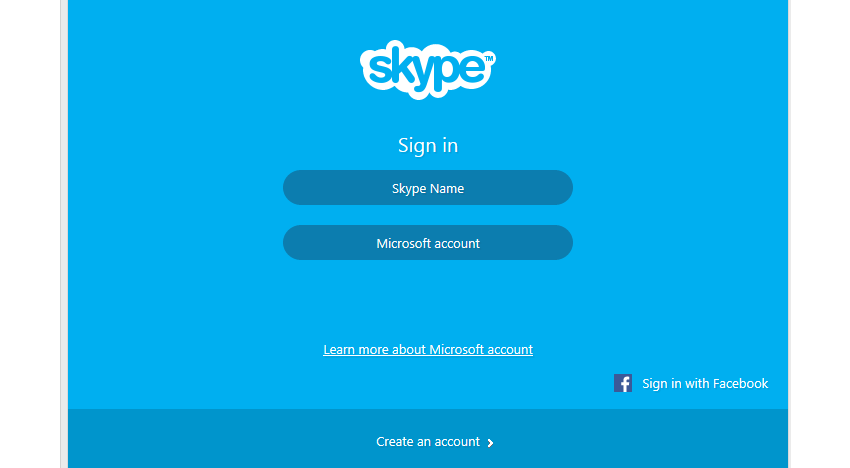
Zrzut okna logowania komunikatora Skype. Od góry znajduje się logo programu Skype, niżej napis Sign in. Poniżej przycisk z napisem Skype Name, Poniżej przycisk z napisem Microsoft account. Niżej link z napisem Learn more about Microsoft account. Niżej, po prawej stronie logo Facebooka (litera f w kwadracie) i napis Sign in with Facebook. Na samym dole przycisk napisem Create an account.
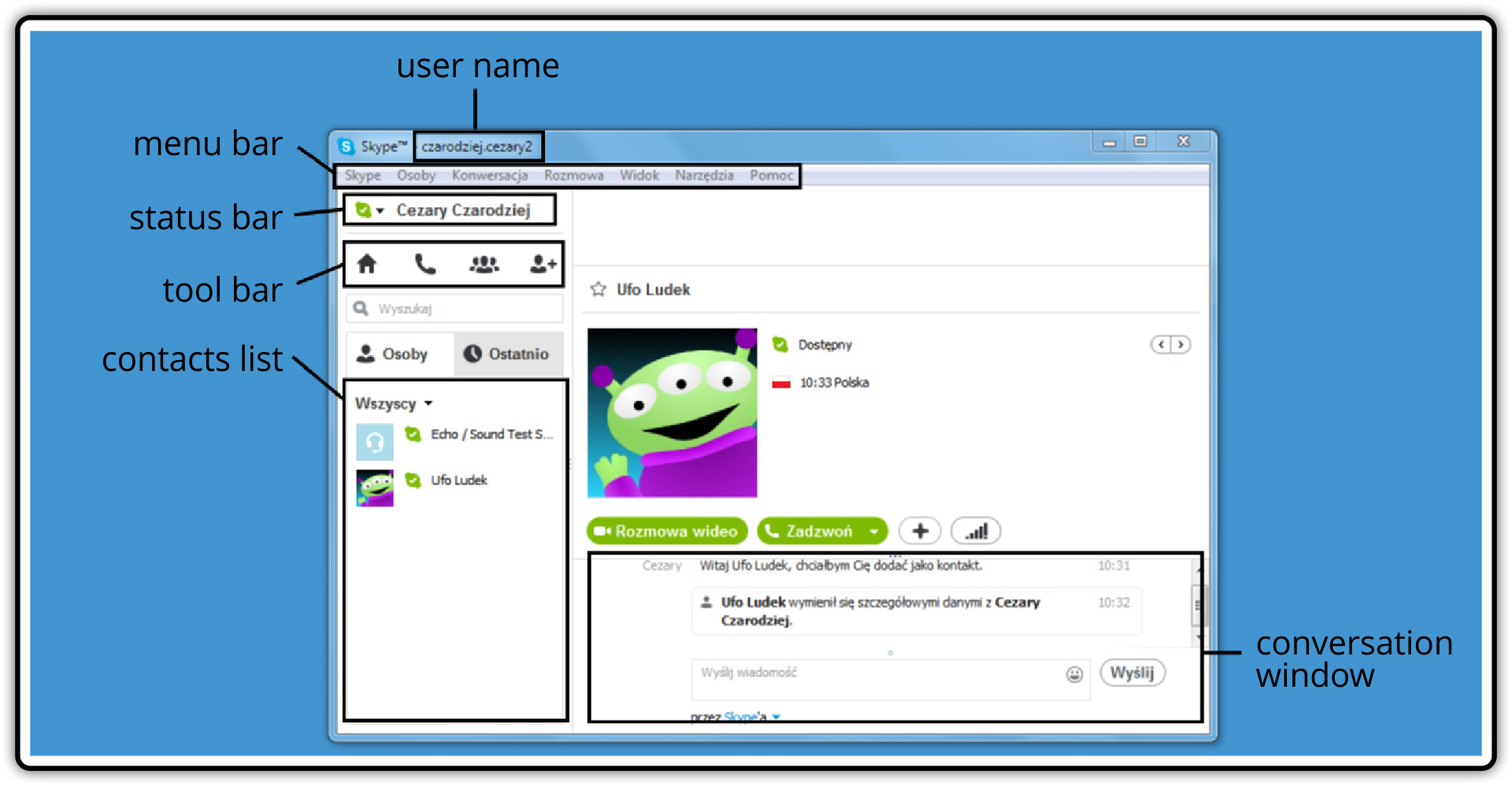
The interface of Skype is very intuitive. On the left you can view the Status bar, which shows your availability status – next to the user name the presence indicator is displayed (in this case it is green) which specifies his or her status (in this case – Available). By using the Tool bar below the Status bar you can add contacts, make a voice call as well as conference call (a call to several users).
R8MMyMqU5nSWW
Zrzut okna komunikatora Skype z opisem jego elementów: nazwa użytkownika - User name, pasek menu - Menu bar gdzie widoczne są menu: Skype, Osoby, Konwersacja, Rozmowa, Widok, Narzędzia, Pomoc. Pasek stanu - Status bar z widoczną ikoną Skype w kolorze zielonym sygnalizującą, że użytkownik jest dostępny w sieci oraz imieniem i nazwiskiem użytkownika. Pasek narzędzi - Tool bar z widocznymi ikonami: domek, słuchawka telefony, osoby, osoba obok ze znakiem plus. Lista kontaktów - Contacts list, na której widoczny jest użytkownik systemowy Echo - Sound Test służący do sprawdzania jakości połączeń głosowych oraz dodany jeden użytkownik o nazwie Ufo Ludek. Okno rozmów - Conversation window, z zapisaną konwersacją pomiędzy użytkownikami programu Skype.
Contacts listcontacts listContacts list enables adding users whose nicknames and identity you know. Most instant messengers also offer the feature of sharing your availability status only with the people on your contacts list and blocking messages from the users who are not on the list. You can add people to your contacts list by using the built‑in web browser, in which you need to enter the first name, surname and nick of the user. When you click a given contact, the information about the user are displayed as well as the icons with which you can make a voice call, start a text chat or add somebody to your contacts list. After you add a person to your contacts listcontacts listcontacts list, they receive a message which enables sharing they contact details.
Run Skype and log in. Then create your contacts listcontacts listcontacts list and add your school mates. Try to start a voice call, a video call or a text chat with someone from your your contacts list. Take a close look at the interface of Skype. Change your presence status and add a personal note.
RhWTbCFu6AIjO1
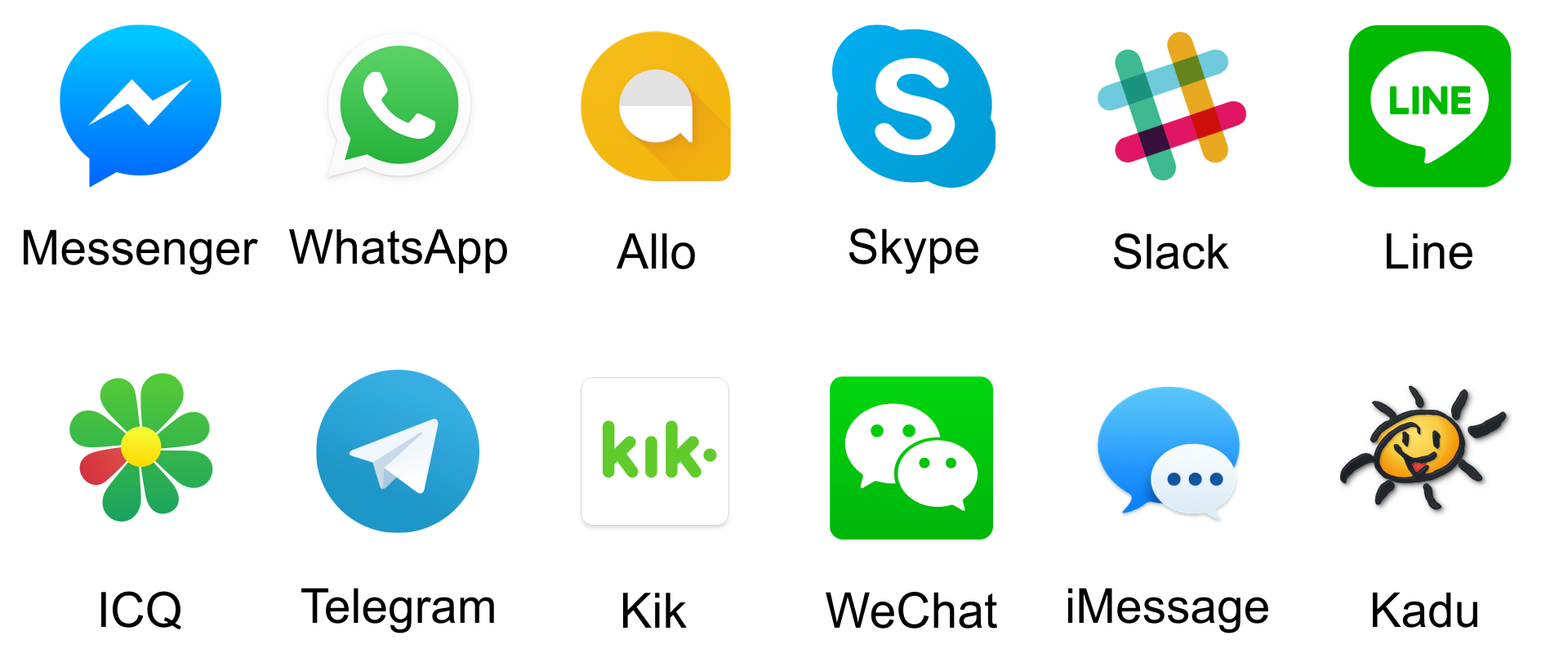
Ilustracja przedstawia ikony komunikatorów internetowych. Messenger - dymek komiksowy, w środku znak błyskawicy. WhatsApp - dymek komiksowy, w środku słuchawka telefonu. Allo - dymek komiksowy w dymku komiksowym. Skype - trzy koła, jedno duże oraz dwa małe częściowo ukryte przez duże; pierwsze w lewym-górnym rogu ikony, drugie w prawym-dolnym; w środku dużego koła litera S. Slack - Znak slash #, nazywany kratką, każda linia w innym kolorze. Line - kwadrat z zaokrąglonymi rogami, w środku dymek komiksowy z napisem LINE. ICQ - kwiatek, stokrotka, jeden z płatków w innym kolorze. Telegram - koło, w środku papierowa jaskółka. Kik - kwadrat, w środku napis kik, na końcu kropka w połowie wysokości litery k. WeChat - kwadrat z zaokrąglonymi rogami, w środku dwa dymki komiksowe, w każdym po dwie kropki. IMessage - dwa dymki komiksowe, większy pusty, a w mniejszym trzy kropki. Kadu - uśmiechnięte słoneczko z promyczkami, jakby narysowane odręcznie.
NetiquettenetiquetteNetiquette is a set of commonly accepted social conventions that apply when communicating over the internet. Follow the principles of netiquette:
do not write in uppercase letters when it is not needed,
do not send chain letters,
do not start conversation with a person whose presence status is Do Not Disturb,
As with electronic mail, while using instant messengers, you risk contacting a person who claims to be somebody else. In the case of a voice call such a risk is lower than when you use electronic mail, however it still exists. A video call on the other hand eliminates such a risk since you can see your interlocutor on the screen. Another threat connected with the use of instant messengers is the risk that your conversations are eavesdropped.
Exercises
Exercise 1
R1HAQ4pa8QqiY
Wersja alternatywna ćwiczenia: You do not follow netiquette when you: Możliwe odpowiedzi: 1. introduce yourself during the first conversation, 2. write an entire message in uppercase letters, 3. send chain letters, 4. use one emoticon, 5. use a great number of emoticons
Wersja alternatywna ćwiczenia: You do not follow netiquette when you: Możliwe odpowiedzi: 1. introduce yourself during the first conversation, 2. write an entire message in uppercase letters, 3. send chain letters, 4. use one emoticon, 5. use a great number of emoticons
You do not follow netiquette when you:
introduce yourself during the first conversation
write an entire message in uppercase letters
send chain letters
use one emoticon
use a great number of emoticons
zadanie
Source: GroMar, licencja: CC BY 3.0.
Exercise 2
How can online threats be prevented? Create a poster about it. Remember that images will make it more attractive.
Exercise 3
Describe in English the features of an instant messenger based on the example of Skype.
Exercise 4
RXLTyryMRC4ac
Wersja alternatywna ćwiczenia: Indicate which pairs of expressions or words are translated correctly. Możliwe odpowiedzi: 1. komunikator internetowy - instant messenger, 2. czat - online chat, 3. netykieta - netiquette, 4. lista kontaktów - contacts list, 5. emotikon - emotions
Wersja alternatywna ćwiczenia: Indicate which pairs of expressions or words are translated correctly. Możliwe odpowiedzi: 1. komunikator internetowy - instant messenger, 2. czat - online chat, 3. netykieta - netiquette, 4. lista kontaktów - contacts list, 5. emotikon - emotions
Indicate which pairs of expressions or words are translated correctly.
komunikator internetowy - instant messenger
czat - online chat
netykieta - netiquette
lista kontaktów - contacts list
emotikon - emotions
zadanie
Source: GroMar, licencja: CC BY 3.0.
RROvvr6aNlO2q1
Interaktywna gra, polegająca na łączeniu wyrazów w pary w ciągu jednej minuty. Czas zaczyna upływać wraz z rozpoczęciem gry. Jeden ruch to odkrywanie najpierw jednej potem drugiej karty z wyrazem. Każdy wyraz jest odczytywany. Kolejny ruch to odkrywanie trzeciej i czwartej karty. W ten sposób odsłuchasz wszystkie wyrazy. Nawigacja z poziomu klawiatury za pomocą strzałek, odsłuchiwanie wyrazów enterem lub spacją. Znajdź wszystkie pary wyrazów.
Interaktywna gra, polegająca na łączeniu wyrazów w pary w ciągu jednej minuty. Czas zaczyna upływać wraz z rozpoczęciem gry. Jeden ruch to odkrywanie najpierw jednej potem drugiej karty z wyrazem. Każdy wyraz jest odczytywany. Kolejny ruch to odkrywanie trzeciej i czwartej karty. W ten sposób odsłuchasz wszystkie wyrazy. Nawigacja z poziomu klawiatury za pomocą strzałek, odsłuchiwanie wyrazów enterem lub spacją. Znajdź wszystkie pary wyrazów.
Match Polish terms with their English equivalents.
czat
netykieta
instant messenger
komunikator internetowy
online chat
netiquette
Source: Zespół autorski Politechniki Łódzkiej, licencja: CC BY 3.0.