A text document will be more interesting for its readers if graphical elements related to the content are added to the text in order to make it more attractive. Such elements may include photographs prepared earlier or graphics created independently in a graphics editor.
InsertinginsertingInserting an image into a text document
Follow these steps:
place the cursor in the location where you want to insert an image,
on the Insert tab, in the Illustrations group, click Picture,
locate the picture that you want to insert, double‑click it and then click the Insert button.
After insertinginsertinginserting the picture, a new section Picture Tools appears on the ribbon, which includes the Format tab. There you can find the tools necessary to edit the parameters of the inserted image. When you click anywhere outside the added picture or illustration within the document, the Picture Tools section will be hidden. If you want it to appear again, click the picture or illustration.
To order the files of the user, Windows uses four folders located in the Library directory. One of them is the Pictures folder. This is where you can often find your images.
When you select a picture, white circles and/or squares are displayed along its edges. They are the sizing handleshandleshandles. By dragging them you can change the size of the image.
RGQmn8B6ykqbp1
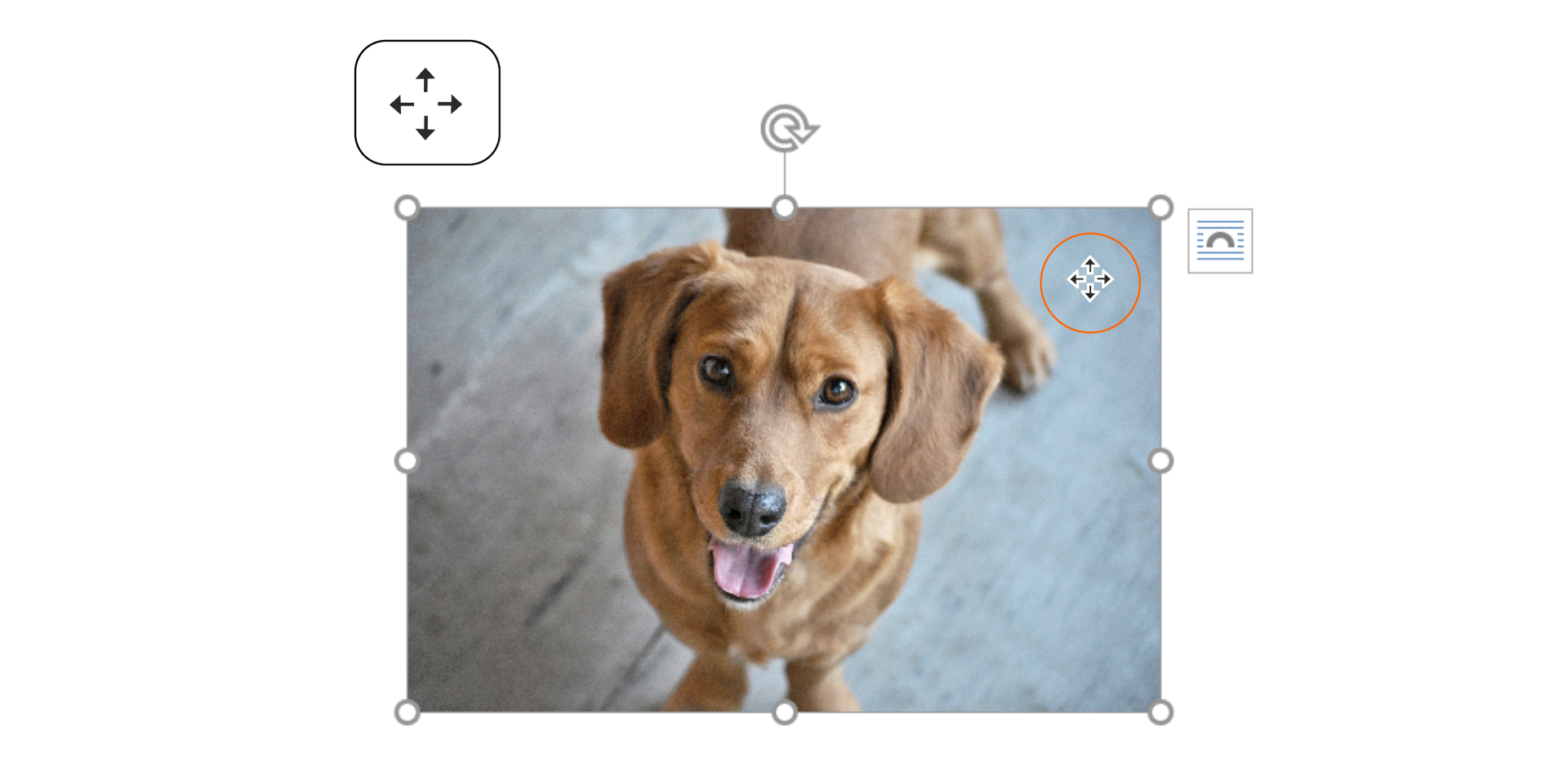
Ilustracja przedstawia zdjęcie psa z zaznaczoną ikoną przenoszenia obrazu. Dwie dwustronne zakończone grotami strzałki skrzyżowane ze sobą.
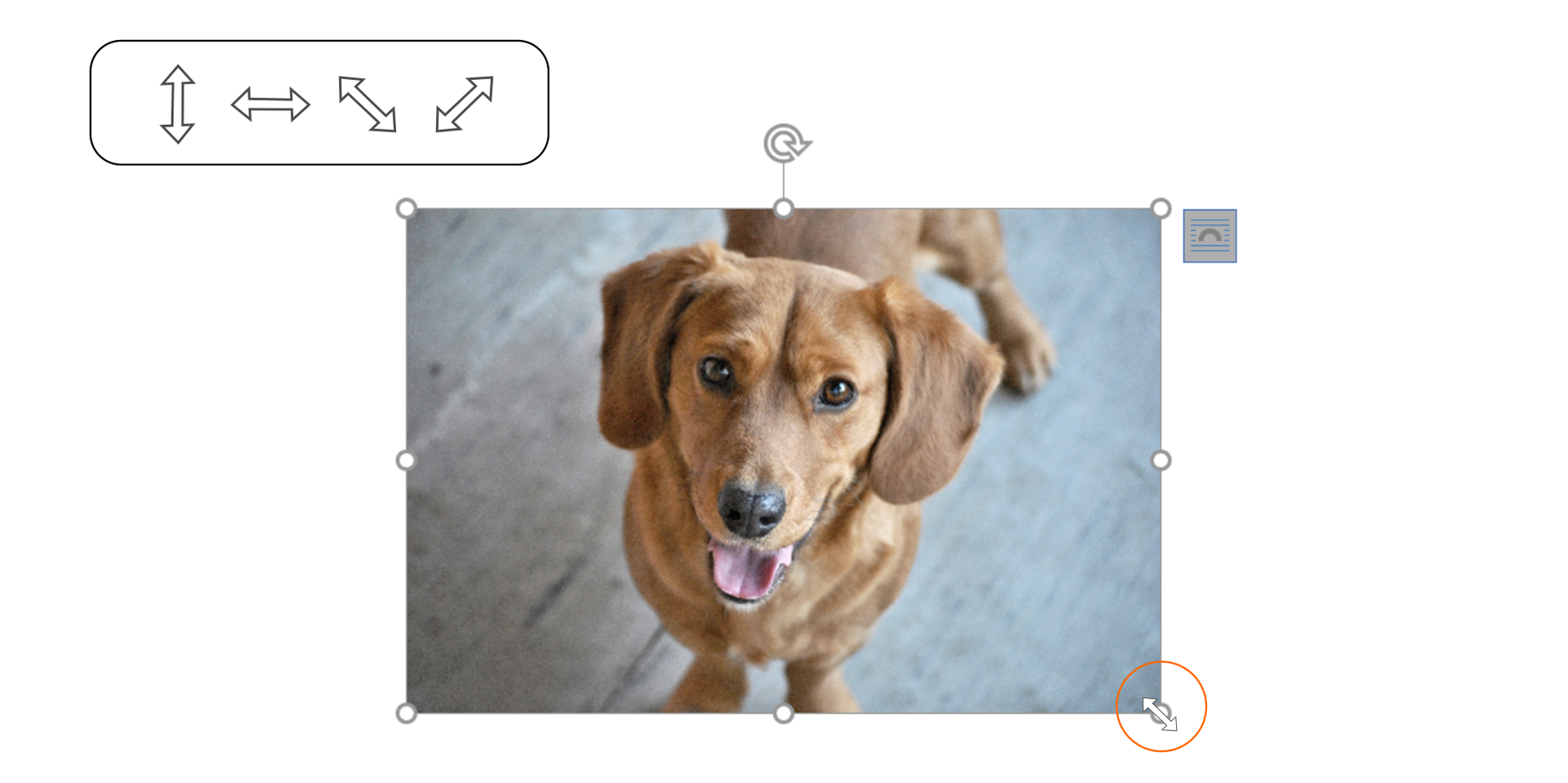
While changing the size of a picture, use thesizing handleshandleshandles displayed in the corners of the selected image - it will be resized proportionallyproportionallyproportionally.
R1eP9c3WYui1c1
Ilustracja przedstawia zdjęcie psa z zaznaczoną ikoną skalowania obrazu - dwustronnie zakończona strzałka .
Insert a picture into a file in a text editor. Practice changing its size and location.
You can also remove unwanted portions of a picture by croppingcroppingcropping it.
R1WWEH8U1AQy81
Pokaz slajdów prezentuje przycinanie obrazu - krok po kroku. Instrukcja obsługi z poziomu klawiatury: 1. Uruchomienie aplikacji - ENTER, 2. Na każdym ze slajdów czytany jest automatycznie tekst alternatywny po polsku, 3. Przy pierwszym uruchomieniu na pierwszym slajdzie, czytanie tekstu po angielsku - TAB, 4. Przejście między slajdami: do następnego slajdu - TAB, do poprzedniego slajdu - TAB + SHIFT, 5. Przejście do czytania napisu po angielsku - strzałka w górę + strzałka w dół (czyta tekst po angielsku widoczny na slajdzie).
Pokaz slajdów prezentuje przycinanie obrazu - krok po kroku. Instrukcja obsługi z poziomu klawiatury: 1. Uruchomienie aplikacji - ENTER, 2. Na każdym ze slajdów czytany jest automatycznie tekst alternatywny po polsku, 3. Przy pierwszym uruchomieniu na pierwszym slajdzie, czytanie tekstu po angielsku - TAB, 4. Przejście między slajdami: do następnego slajdu - TAB, do poprzedniego slajdu - TAB + SHIFT, 5. Przejście do czytania napisu po angielsku - strzałka w górę + strzałka w dół (czyta tekst po angielsku widoczny na slajdzie).
The default style of wrapping text around a picture when you insert a new image is In Line with Text. With this style the picture is put in a new paragraph and cannot be freely moved. Only the options used to align paragraphs are available.
When you select any other layout of the image by choosing one of the Layout Options, you can move the picture around on the page.
Based on the information found on the internet, write a short article about your favourite animal. Insert at least two photographs into the text, by using the Position tools on the Format tab, which is activated when you click the picture.
InsertinginsertingInserting images (photographs or graphics) into text makes your text documents more attractive for their readers. Try to choose images which are related to the content. Remember to conform to the copyright – inform the audience about the authors of pictures and drawings which you use in your documents.
Exercises
Exercise 1
R1Or9fKuynqzp
Wersja alternatywna ćwiczenia: Determine which sentence is true. Możliwe odpowiedzi: 1. The default style of wrapping text around a picture when you insert a new image is In Line with Text., 2. The default style of wrapping text around a picture when you insert a new image is With Text Wrapping., 3. The size of an image can be changed by using the sizing handles in the corners of the selected picture or by cropping its unwanted portions., 4. The size of an image cannot be changed by cropping its unwanted portions., 5. With the style In Line with Text a picture can be freely moved.
Wersja alternatywna ćwiczenia: Determine which sentence is true. Możliwe odpowiedzi: 1. The default style of wrapping text around a picture when you insert a new image is In Line with Text., 2. The default style of wrapping text around a picture when you insert a new image is With Text Wrapping., 3. The size of an image can be changed by using the sizing handles in the corners of the selected picture or by cropping its unwanted portions., 4. The size of an image cannot be changed by cropping its unwanted portions., 5. With the style In Line with Text a picture can be freely moved.
Determine which sentence is true.
The default style of wrapping text around a picture when you insert a new image is In Line with Text.
The default style of wrapping text around a picture when you insert a new image is With Text Wrapping.
The size of an image can be changed by using the sizing handles in the corners of the selected picture or by cropping its unwanted portions.
The size of an image cannot be changed by cropping its unwanted portions.
With the style In Line with Text a picture can be freely moved.
zadanie
Source: GroMar, licencja: CC BY 3.0.
Exercise 2
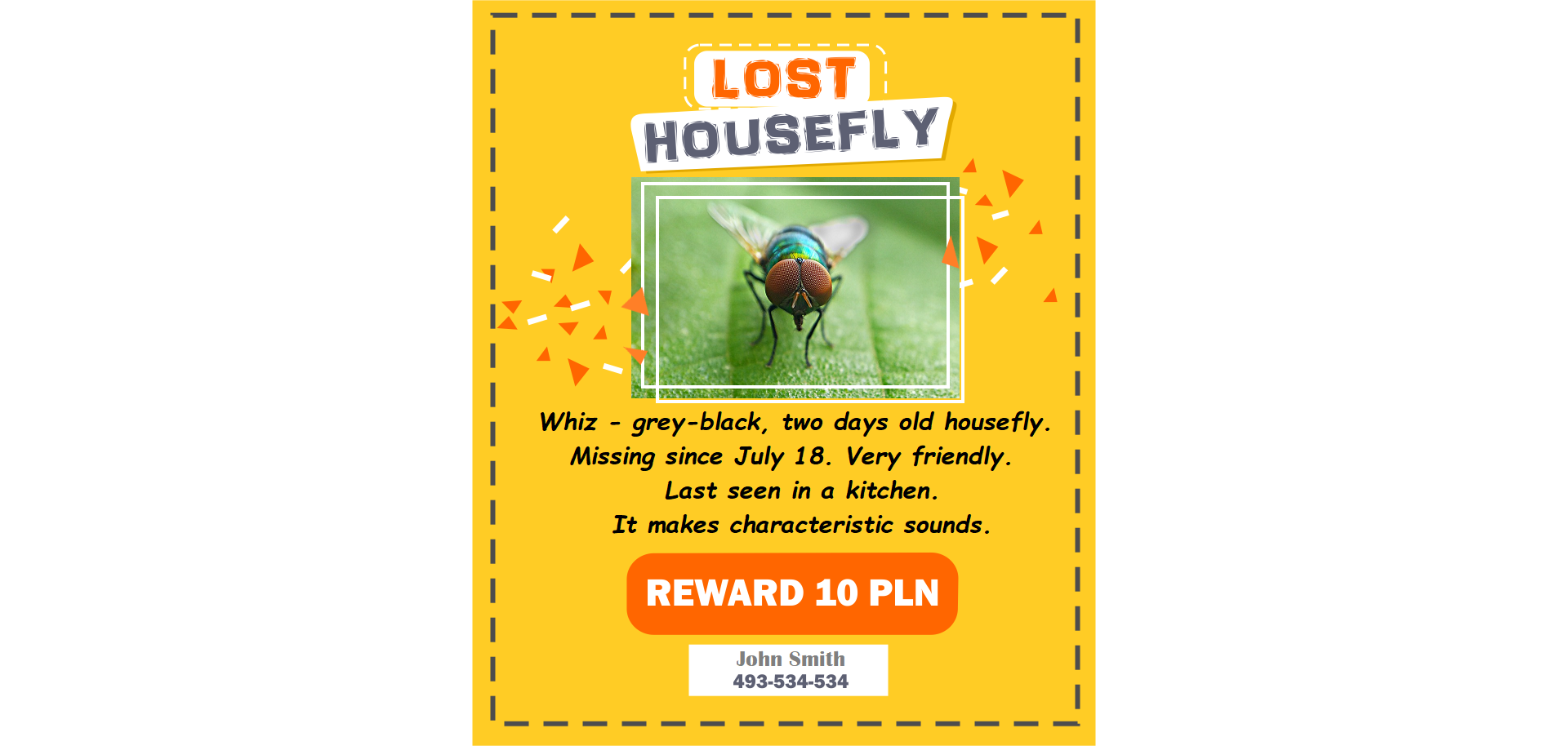
In a text editor, create a poster entitled „Lost animal”. Remember to include in the content the information about the animal (its appearance, size etc.), when and where it went missing, the contact details of its owner – all the information can be made up by you. Insert the picture of the animal from the internet. See the exemplary poster below.
R1bNPk5nN68DO1
Ilustracja przedstawia ogłoszenie pt. „LOST HOUSEFLY”, na którym znajduje się zdjęcie muchy oraz informacje na temat zwierzaka: Whiz - grey-black, two days old housefly. Missing since July 18. Very friendly. Last seen in a kitchen. It makes characteristic sounds. Poniżej informacja o nagrodzie: REWARD 10 PLN. Poniżej kontakt do właściciela John Smith 493-534-534.
Source: GroMar, licencja: CC BY 3.0.
Exercise 3
Give in English a short instruction to insert a photograph into a text file.
Exercise 4
R1d0h2hXyGUiT
Wersja alternatywna ćwiczenia: Indicate which pairs of expressions or words are translated correctly. Możliwe odpowiedzi: 1. zmiana rozmiaru - change size, 2. położenie obrazu - image location, 3. uchwyty - handles, 4. przycinanie - cropping, 5. proporcjonalnie - inserting, 6. wstawianie - formatting
Wersja alternatywna ćwiczenia: Indicate which pairs of expressions or words are translated correctly. Możliwe odpowiedzi: 1. zmiana rozmiaru - change size, 2. położenie obrazu - image location, 3. uchwyty - handles, 4. przycinanie - cropping, 5. proporcjonalnie - inserting, 6. wstawianie - formatting
Indicate which pairs of expressions or words are translated correctly.
zmiana rozmiaru - change size
położenie obrazu - image location
uchwyty - handles
przycinanie - cropping
proporcjonalnie - inserting
wstawianie - formatting
zadanie
Source: GroMar, licencja: CC BY 3.0.
Rkx0VaoAAHJfm1
Interaktywna gra, polegająca na łączeniu wyrazów w pary w ciągu jednej minuty. Czas zaczyna upływać wraz z rozpoczęciem gry. Jeden ruch to odkrywanie najpierw jednej potem drugiej karty z wyrazem. Każdy wyraz jest odczytywany. Kolejny ruch to odkrywanie trzeciej i czwartej karty. W ten sposób odsłuchasz wszystkie wyrazy. Nawigacja z poziomu klawiatury za pomocą strzałek, odsłuchiwanie wyrazów enterem lub spacją. Znajdź wszystkie pary wyrazów.
Interaktywna gra, polegająca na łączeniu wyrazów w pary w ciągu jednej minuty. Czas zaczyna upływać wraz z rozpoczęciem gry. Jeden ruch to odkrywanie najpierw jednej potem drugiej karty z wyrazem. Każdy wyraz jest odczytywany. Kolejny ruch to odkrywanie trzeciej i czwartej karty. W ten sposób odsłuchasz wszystkie wyrazy. Nawigacja z poziomu klawiatury za pomocą strzałek, odsłuchiwanie wyrazów enterem lub spacją. Znajdź wszystkie pary wyrazów.
Match Polish terms with their English equivalents.
image location
cropping
uchwyty
zmiana rozmiaru
położenie obrazu
przycinanie
change size
handles
Source: Zespół autorski Politechniki Łódzkiej, licencja: CC BY 3.0.