Cloud Computing assumes universal access to sharedsharedshared configurable computer system resources and servicesservicesservices which can be jointly used and shared over the Internet at minimal costs.
Cloud servicesservicesservices are usually paid for in a lump sum or using a „pay‑as‑you‑go” model. Part of the services are free or available for the users of specific devices. The first commercial cloud was offered by Amazon (2006). The companies which subsequently saw the growth potential in this solution were Google, Dropbox (2008), Microsoft (2010), IBM and Apple (2011).
A huge advantage supporting the development of cloud services is the possibility of using the services from any device with the access to the Internet and a web browserweb browserweb browser.
The results of your work can be stored in a cloud due to the possibility of using virtual disc drives. A virtual disc is a disc spacedisc spacedisc space offered a user by a cloud operator. You can create the functional structure of folders adjusted to your needs. The data are synchronisedsynchronisedsynchronised in order to be accessed from many devices.
The additional advantage of working in a cloud is easy sharing of resources stored in it and a group work during their creation.
Cloud servicesservicesservices always include electronic mail since most often an identifier that enables accessing the services is just an email address.
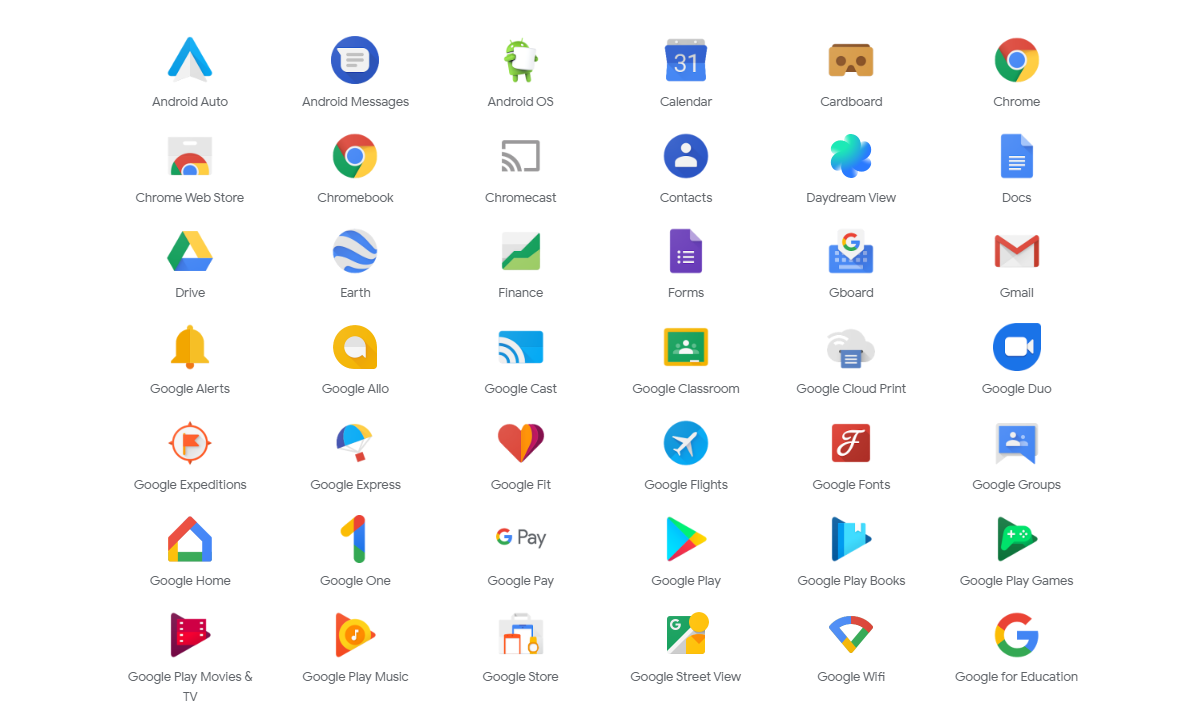
Log in to Gmail and check what services are available in the Google cloud.
RjeVauAMeQxeL
Ilustracja przedstawia oprogramowanie dostępne w chmurze Google: Android Auto, Android Messages, Android OS, Calendar, Cardboard, Chrome, Chrome Web Store, Chromebook, Chromecast, Contacts, Daydream View, Docs, Drive, earth, Finance, Forms, Gboard, Gmail, Google Alerts, Google Allo, Google Cast, Google Classroom, Google Cloud Print, Google Duo, Google Expeditions, Google Express, Google Fit, Google Flights, Google Fonts, Google groups, Google Home, Google One, Google Pay, Google Play, Google Play Books, Google Play Games, Google Play Movies & TV, Google Play Music, Google Store, Google Street View, Google WiFi, Google for Education.
The Google services part 1
Source: GroMar, licencja: CC BY 3.0.
RAJnu7LbOdPT8
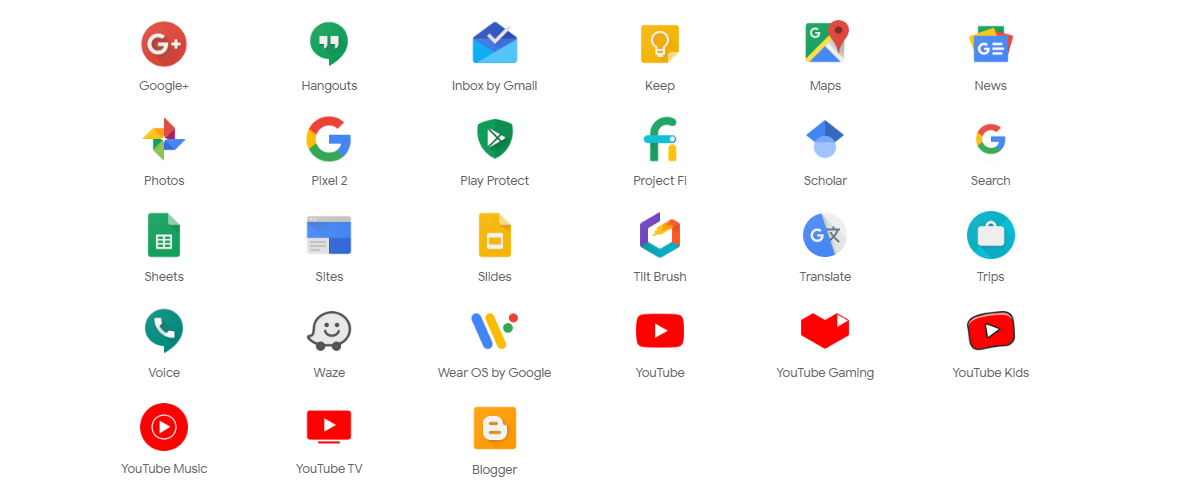
Ilustracja przedstawia oprogramowanie i usługi dostępne w chmurze Google: Google+, Hangouts, Inbox by Gmail, Keep, Maps, News, Photos, Pixels 2, Play Protect, Project FI, Scholar, Search, Sites, Slides, Tilt Brush, Translate, Trips, Voice, Waze, Wear OS by Google, YouTube, YouTube Gaming, YouTube Kids, YouTube Music, YouTube TV, Blogger.
In any online text editor available in a cloud create a text document. Describe step by step the method of creating such a document from the moment a web browserweb browserweb browser is run. Share the document with your school mate, mum or dad.
R1WLxAtrd2LFU
Ilustracja interaktywna przedstawia w sposób schematyczny różnice pomiędzy pracą w konwencjonalny sposób przy komputerze, a pracą w chmurze. Po lewej stronie dzieci pracują przy komputerach i udostępniają pliki na nośnikach. Poniżej płyta CD/DVD i pendrive przenoszące dane. Po prawej stronie dzieci pracują przy komputerach i udostępniają sobie pliki w internecie. Powyżej schematyczna chmura w internecie, która zwiera pliki, zdjęcia, filmy, muzykę itp. Na ilustracji widoczne są numery, a na nich podpisy. 1. Working outside a cloud. {audio}, 2. Manual data transfer. {audio}, 3. Working in a cloud. {audio}, 4. The files stored in the cloud. {audio}
Ilustracja interaktywna przedstawia w sposób schematyczny różnice pomiędzy pracą w konwencjonalny sposób przy komputerze, a pracą w chmurze. Po lewej stronie dzieci pracują przy komputerach i udostępniają pliki na nośnikach. Poniżej płyta CD/DVD i pendrive przenoszące dane. Po prawej stronie dzieci pracują przy komputerach i udostępniają sobie pliki w internecie. Powyżej schematyczna chmura w internecie, która zwiera pliki, zdjęcia, filmy, muzykę itp. Na ilustracji widoczne są numery, a na nich podpisy. 1. Working outside a cloud. {audio}, 2. Manual data transfer. {audio}, 3. Working in a cloud. {audio}, 4. The files stored in the cloud. {audio}
A digital clouddigital clouddigital cloud offers the possibility of using software installed on computers other than the computer of a given user. The effects of your work, i.e. data in the form of specific text documents, presentations, spreadsheets, as well as pictures, films and music, can be also stored in the cloud. All the data are located on a safe computer thus you do not need to worry about losing them.
Exercises
Exercise 1
Ry9HO8oeGnNyU
Wersja alternatywna ćwiczenia: Identify true sentences about a digital cloud. Możliwe odpowiedzi: 1. The results of your work can be stored in a cloud., 2. The disadvantage of working in a cloud is easy sharing of resources., 3. An identifier that enables accessing the services in a cloud is an email address.
Wersja alternatywna ćwiczenia: Identify true sentences about a digital cloud. Możliwe odpowiedzi: 1. The results of your work can be stored in a cloud., 2. The disadvantage of working in a cloud is easy sharing of resources., 3. An identifier that enables accessing the services in a cloud is an email address.
Identify true sentences about a digital cloud.
The results of your work can be stored in a cloud.
The disadvantage of working in a cloud is easy sharing of resources.
An identifier that enables accessing the services in a cloud is an email address.
zadanie
Source: GroMar, licencja: CC BY 3.0.
Exercise 2
Describe the advantages and disadvantages of:
storing data in a cloud,
using computer software in a cloud.
Exercise 3
Tell in English what services you use or you would like to use in a cloud and why.
Exercise 4
RfoMzYs6ESqf4
Wersja alternatywna ćwiczenia: Indicate which pairs of expressions or words are translated correctly. Możliwe odpowiedzi: 1. chmura cyfrowa - digital cloud, 2. przestrzeń dyskowa - disc space, 3. usługi - services, 4. współużytkowane - shared, 5. przeglądarka WWW - virtual disc drive, 6. wirtualny dysk - web browser
Wersja alternatywna ćwiczenia: Indicate which pairs of expressions or words are translated correctly. Możliwe odpowiedzi: 1. chmura cyfrowa - digital cloud, 2. przestrzeń dyskowa - disc space, 3. usługi - services, 4. współużytkowane - shared, 5. przeglądarka WWW - virtual disc drive, 6. wirtualny dysk - web browser
Indicate which pairs of expressions or words are translated correctly.
chmura cyfrowa - digital cloud
przestrzeń dyskowa - disc space
usługi - services
współużytkowane - shared
przeglądarka WWW - virtual disc drive
wirtualny dysk - web browser
zadanie
Source: GroMar, licencja: CC BY 3.0.
RKECCpqgjSh2E1
Interaktywna gra, polegająca na łączeniu wyrazów w pary w ciągu jednej minuty. Czas zaczyna upływać wraz z rozpoczęciem gry. Jeden ruch to odkrywanie najpierw jednej potem drugiej karty z wyrazem. Każdy wyraz jest odczytywany. Kolejny ruch to odkrywanie trzeciej i czwartej karty. W ten sposób odsłuchasz wszystkie wyrazy. Nawigacja z poziomu klawiatury za pomocą strzałek, odsłuchiwanie wyrazów enterem lub spacją. Znajdź wszystkie pary wyrazów.
Interaktywna gra, polegająca na łączeniu wyrazów w pary w ciągu jednej minuty. Czas zaczyna upływać wraz z rozpoczęciem gry. Jeden ruch to odkrywanie najpierw jednej potem drugiej karty z wyrazem. Każdy wyraz jest odczytywany. Kolejny ruch to odkrywanie trzeciej i czwartej karty. W ten sposób odsłuchasz wszystkie wyrazy. Nawigacja z poziomu klawiatury za pomocą strzałek, odsłuchiwanie wyrazów enterem lub spacją. Znajdź wszystkie pary wyrazów.
Match Polish terms with their English equivalents.
chmura cyfrowa
disc space
wirtualny dysk
usługi
services
synchronised
digital cloud
synchronizowane
przestrzeń dyskowa
virtual disc drive
Source: Zespół autorski Politechniki Łódzkiej, licencja: CC BY 3.0.