Wersja alternatywna ćwiczenia: Order the bulleted and numbered lists. bulleted lists Możliwe odpowiedzi: 1. ♥ (a heart), 2. a (lowercase), 3. i (Roman numerals), 4. ★ (a star), 5. • (a black small circle), 6. A (uppercase), 7. 1 (arabic numerals), 8. I (Roman numerals - lowercase), 9. ✉ (an envelope) numbered lists Możliwe odpowiedzi: 1. ♥ (a heart), 2. a (lowercase), 3. i (Roman numerals), 4. ★ (a star), 5. • (a black small circle), 6. A (uppercase), 7. 1 (arabic numerals), 8. I (Roman numerals - lowercase), 9. ✉ (an envelope)
Wersja alternatywna ćwiczenia: Order the bulleted and numbered lists. bulleted lists Możliwe odpowiedzi: 1. ♥ (a heart), 2. a (lowercase), 3. i (Roman numerals), 4. ★ (a star), 5. • (a black small circle), 6. A (uppercase), 7. 1 (arabic numerals), 8. I (Roman numerals - lowercase), 9. ✉ (an envelope) numbered lists Możliwe odpowiedzi: 1. ♥ (a heart), 2. a (lowercase), 3. i (Roman numerals), 4. ★ (a star), 5. • (a black small circle), 6. A (uppercase), 7. 1 (arabic numerals), 8. I (Roman numerals - lowercase), 9. ✉ (an envelope)
Order the bulleted and numbered lists.
i (Roman numerals), • (a black small circle), ♥ (a heart), a (lowercase), A (uppercase), I (Roman numerals - lowercase), ★ (a star), 1 (arabic numerals), ✉ (an envelope)
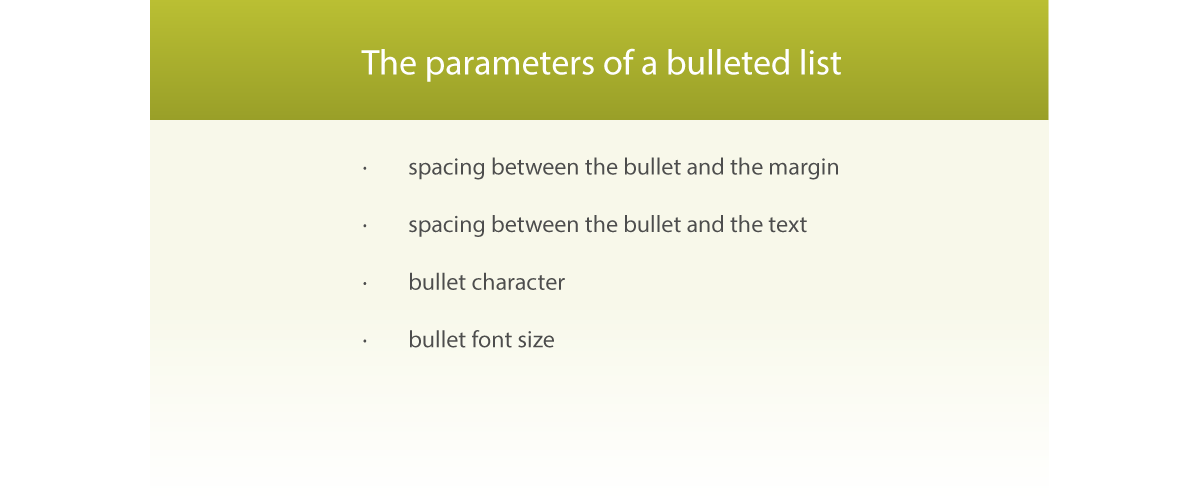
Ilustracja przedstawia wypisane parametry listy wypunktowanej: The parameters of a bulleted list: spacing between the bullet and the margin, spacing between the bullet and the text, bullet character, bullet font size.
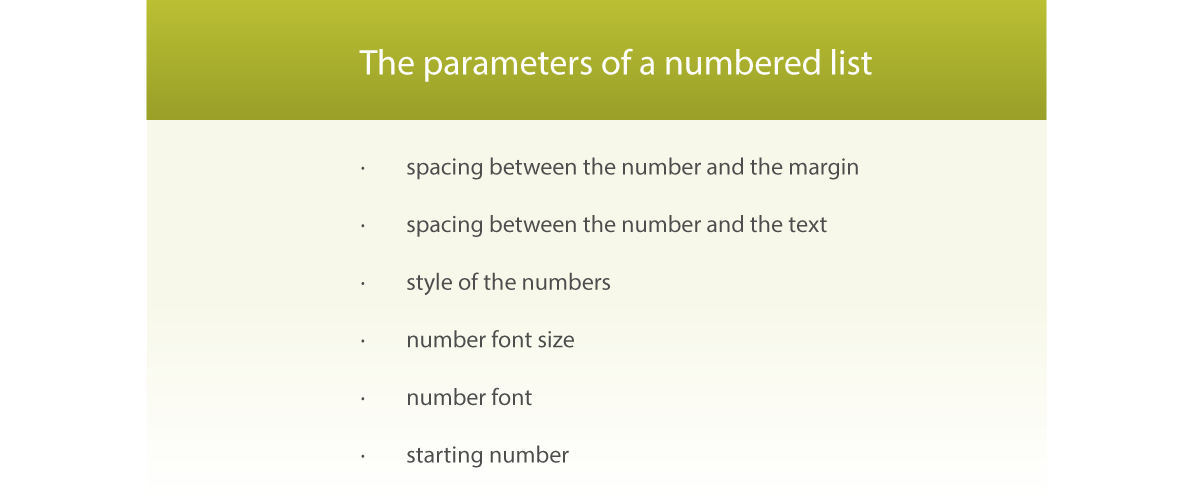
Ilustracja przedstawia wypisane parametry listy numerowanej. The parameters of a numbered list: spacing between the number and the margin, spacing between the number and the text, style of the numbers, number font size, number font, starting number.
Source: GroMar, licencja: CC BY 3.0.
RFVTavkUBQMHq1
Pokaz slajdów - wstawianie list wypunktowanych i numerowanych. Instrukcja obsługi z poziomu klawiatury: 1. Uruchomienie aplikacji - ENTER, 2. Na każdym ze slajdów czytany jest automatycznie tekst alternatywny po polsku, 3. Przy pierwszym uruchomieniu na pierwszym slajdzie, czytanie tekstu po angielsku - TAB, 4. Przejście między slajdami: do następnego slajdu - TAB, do poprzedniego slajdu - TAB + SHIFT, 5. Przejście do czytania napisu po angielsku - strzałka w górę + strzałka w dół (czyta tekst po angielsku widoczny na slajdzie).
Pokaz slajdów - wstawianie list wypunktowanych i numerowanych. Instrukcja obsługi z poziomu klawiatury: 1. Uruchomienie aplikacji - ENTER, 2. Na każdym ze slajdów czytany jest automatycznie tekst alternatywny po polsku, 3. Przy pierwszym uruchomieniu na pierwszym slajdzie, czytanie tekstu po angielsku - TAB, 4. Przejście między slajdami: do następnego slajdu - TAB, do poprzedniego slajdu - TAB + SHIFT, 5. Przejście do czytania napisu po angielsku - strzałka w górę + strzałka w dół (czyta tekst po angielsku widoczny na slajdzie).
When you start a paragraphparagraph paragraph with an asterisk (*) or > and a spacespacespace , it will result in creating a bulleted listbulleted listbulleted list . However when you start a paragraphparagraph paragraph with an Arabic or Roman numeral and a period (e.g. 1. or I.), a numbered listnumbered listnumbered list will be created.
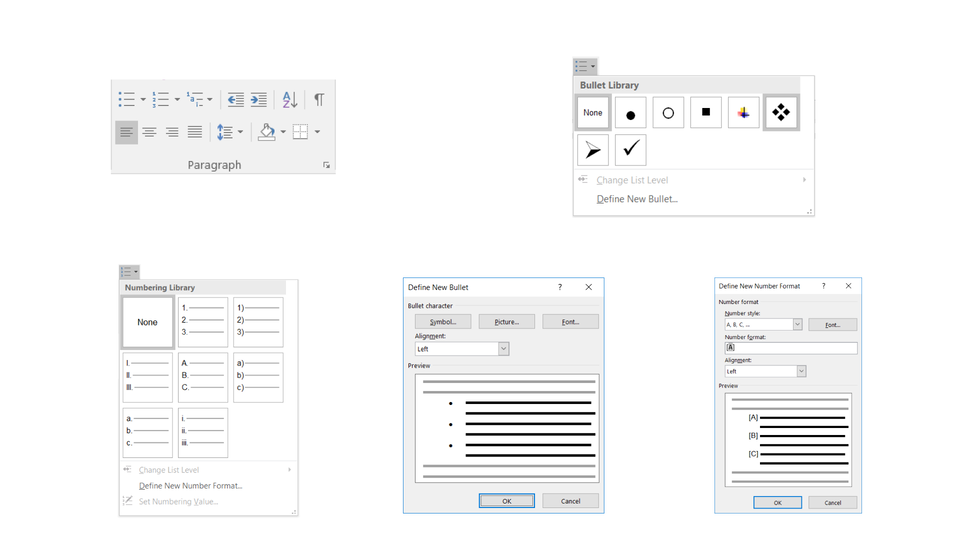
Select the lines of the text you want to turn into a list and click a predefined style of bullets or numbers. If you cannot find a suitable built‑in style, define your own custom style. You can change the parameters of any style.
Lists increase the clarity of texts. Try to plan them before you start your work with a document.
Exercises
Exercise 1
R1HCnesqzXoFi
Wersja alternatywna ćwiczenia: Select the parameters of the bulleted list. Możliwe odpowiedzi: 1. bullet character, 2. spacing between the bullet and the margin, 3. spacing between the bullet and the text, 4. bullet font size, 5. number font size, 6. spacing between the number and the margin, 7. spacing between the number and the text, 8. style of numbers, 9. number font, 10. starting number
Wersja alternatywna ćwiczenia: Select the parameters of the bulleted list. Możliwe odpowiedzi: 1. bullet character, 2. spacing between the bullet and the margin, 3. spacing between the bullet and the text, 4. bullet font size, 5. number font size, 6. spacing between the number and the margin, 7. spacing between the number and the text, 8. style of numbers, 9. number font, 10. starting number
Select the parameters of the bulleted list.
bullet character
spacing between the bullet and the margin
spacing between the bullet and the text
bullet font size
number font size
spacing between the number and the margin
spacing between the number and the text
style of numbers
number font
starting number
zadanie
Source: GroMar, licencja: CC BY 3.0.
Exercise 2
In a text editor, create:
a numbered list containing the today’s lessons,
a bulleted list of some of your best colleagues from your class.
Exercise 3
Describe the differences between a numbered and a bulleted list in English.
Exercise 4
RUnBHIiINOTiF
Wersja alternatywna ćwiczenia: Select correctly translated pairs of expressions or words. Możliwe odpowiedzi: 1. punktor - bullet, 2. lista numerowana - numbered list, 3. akapit - paragraph, 4. styl - style, 5. lista wielopoziomowa - bulleted list, 6. lista wypunktowana - multilevel list, 7. zwiększ wcięcie - increase indent
Wersja alternatywna ćwiczenia: Select correctly translated pairs of expressions or words. Możliwe odpowiedzi: 1. punktor - bullet, 2. lista numerowana - numbered list, 3. akapit - paragraph, 4. styl - style, 5. lista wielopoziomowa - bulleted list, 6. lista wypunktowana - multilevel list, 7. zwiększ wcięcie - increase indent
Select correctly translated pairs of expressions or words.
punktor - bullet
lista numerowana - numbered list
akapit - paragraph
styl - style
lista wielopoziomowa - bulleted list
lista wypunktowana - multilevel list
zwiększ wcięcie - increase indent
zadanie
Source: GroMar, licencja: CC BY 3.0.
RoqBXdJqZeuus1
Interaktywna gra, polegająca na łączeniu wyrazów w pary w ciągu jednej minuty. Czas zaczyna upływać wraz z rozpoczęciem gry. Jeden ruch to odkrywanie najpierw jednej potem drugiej karty z wyrazem. Każdy wyraz jest odczytywany. Kolejny ruch to odkrywanie trzeciej i czwartej karty. W ten sposób odsłuchasz wszystkie wyrazy. Nawigacja z poziomu klawiatury za pomocą strzałek, odsłuchiwanie wyrazów enterem lub spacją. Znajdź wszystkie pary wyrazów.
Interaktywna gra, polegająca na łączeniu wyrazów w pary w ciągu jednej minuty. Czas zaczyna upływać wraz z rozpoczęciem gry. Jeden ruch to odkrywanie najpierw jednej potem drugiej karty z wyrazem. Każdy wyraz jest odczytywany. Kolejny ruch to odkrywanie trzeciej i czwartej karty. W ten sposób odsłuchasz wszystkie wyrazy. Nawigacja z poziomu klawiatury za pomocą strzałek, odsłuchiwanie wyrazów enterem lub spacją. Znajdź wszystkie pary wyrazów.
Match Polish terms with their English equivalents.
lista numerowana
lista wielopoziomowa
multilevel list
lista wypunktowana
numbered list
bulleted list
Source: Zespół autorski Politechniki Łódzkiej, licencja: CC BY 3.0.