Prezi.com service allows to create a multimedia presentation based on a mind mapmind mapmind map (lack of linearity). This approach combines creative thinking and technological knowledge, enabling easy creation of presentations, uploading them on the Internet and sharing with friends and workmates.
Presentations created with the use of prezi.com are called prezis.
Find information about differences between presentations created in MS PowerPoint and those created on prezi.com on the Internet. Present their reflections in a table.
Creating an account on prezi.com service In order to create an account on prezi.com you need to write prezi.com in the taskbar of find the site using a search engine.
RKa29nAEjgIeO1
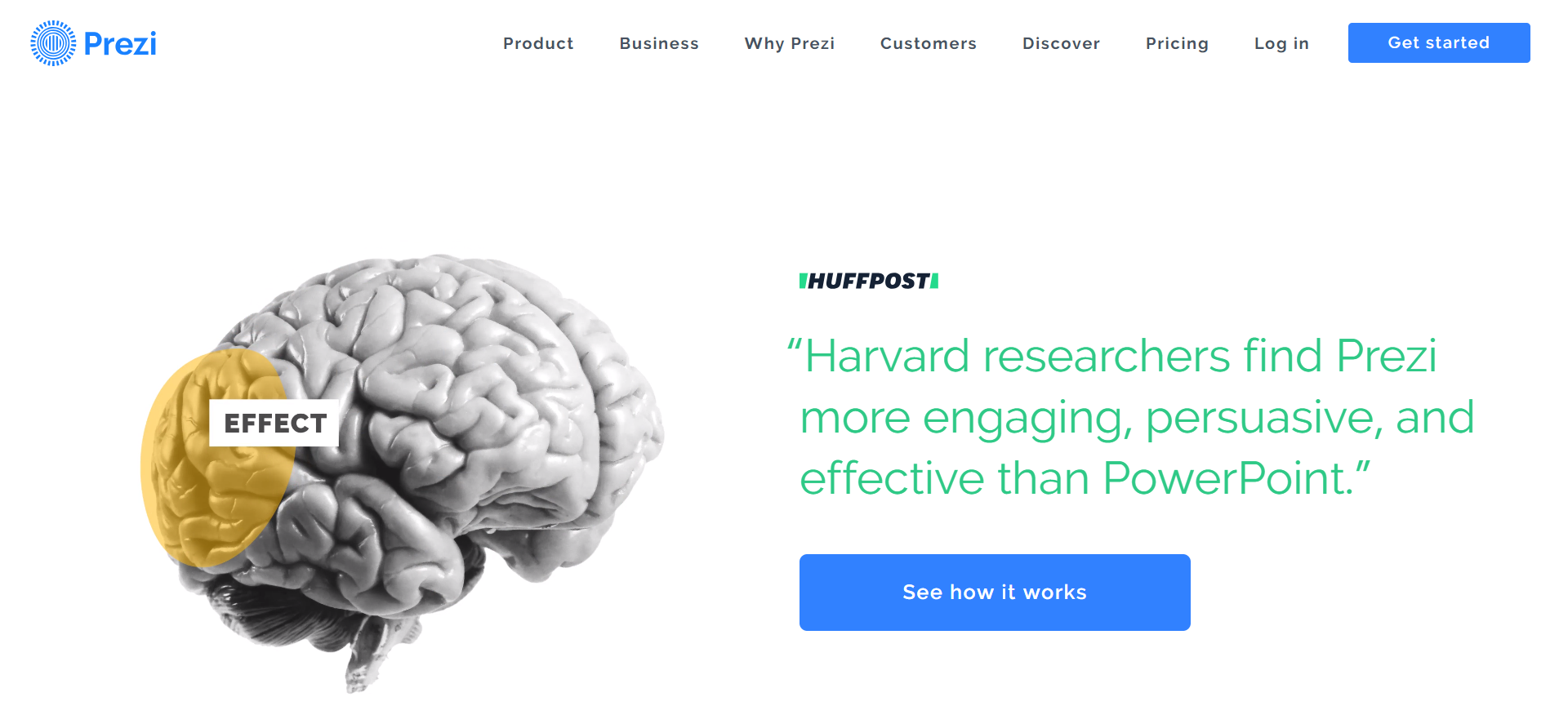
Zrzut ekranu przedstawia stronę startową Prezi. W lewym, górnym rogu logo Prezi. Trzy okręgi jeden w drugim. Najmniejszy środkowy wypełniony pięcioma pionowymi kreskami. Od zewnętrznego, największego okręgu odchodzą krótkie kreseczki układające się w kształt promyków. Obok grafiki napis: Prezi. Dalej w prawą stroną kolejno napisy: Product, Business, Why Prezi, Customers, Discover, Pricing, Log in. W prawym górnym rogu przycisk z napisem: Get started. Poniżej po lewej stronie grafika przedstawiająca mózg, z zaznaczonym płatem ciemieniowym oraz napisem: EFFECT. Po prawej stronie od grafiki napisy: HUFFPOST, "Harvard researchers find Prezi more engaging, persuasive, and effective than PowerPoint.". Pod spodem przycisk z napisem: See how it works.
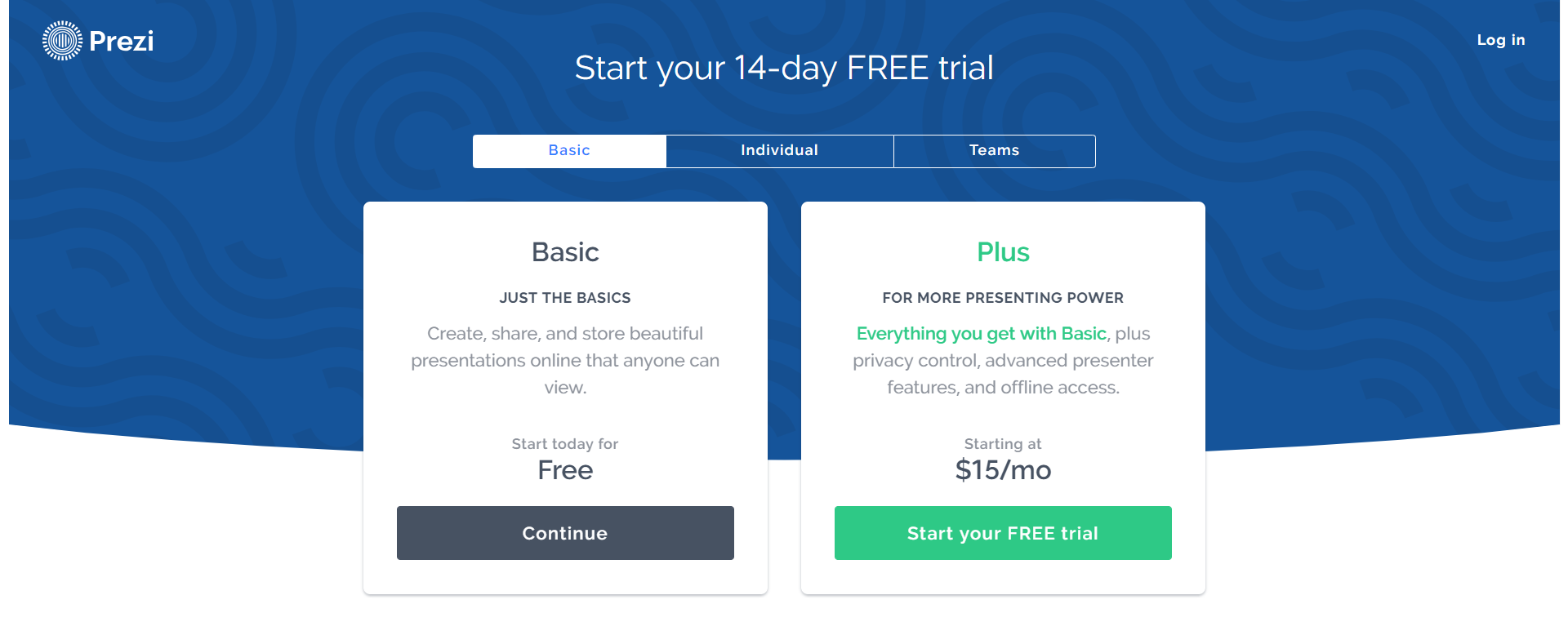
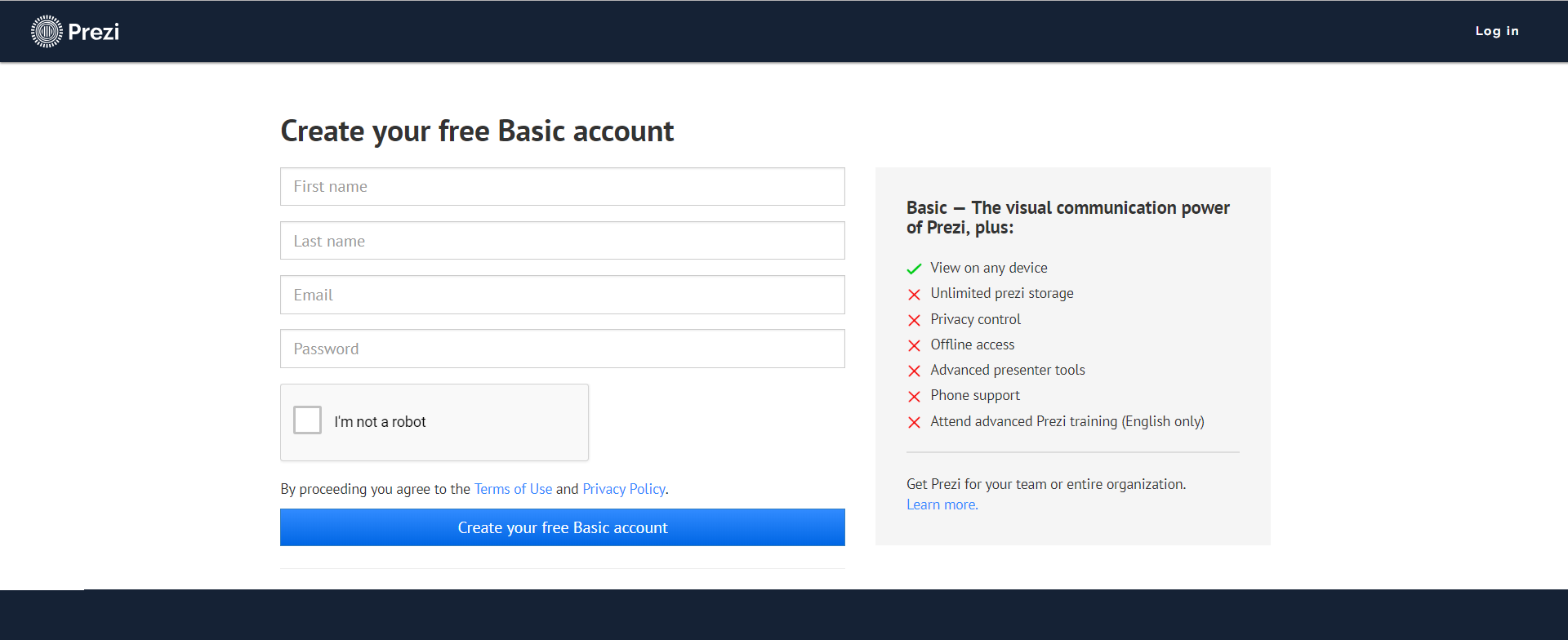
We select the option “Get started” in the menu (top right‑hand corner) and then “Basic” option” („Just the basics”), which enables creating a free of charge account. Clicking „Continue” button takes the user to the form. Having completed the form, we confirm the data by clicking „Create your free Basic account” button.
R1HRyRyYLBDym1
Zrzut przedstawia stronę z formularzem wyboru konta w serwisie Prezi. U góry po lewej stronie logo Prezi, po prawej stronie napis: Log in. Poniżej tytuł: Start your 14-day FREE trial. Poniżej menu z trzema opcjami: Basic (aktywna), Individual, Teams. Poniżej dwie prostokątne formatki. Po lewej stronie formatka z tytułem Basic, poniżej napisy: JUST THE BASICS, Create, share, and store beautiful presentations online that anyone can view. Start today for Free. Na dole przycisk z napisem Continue. Po prawej stronie formatka z tytułem Plus, poniżej napisy: FOR MORE PRESENTING POWER, Everything you get with Basic, plus privacy control, advanced presenter features, and offline access. Starting at $15/mo. Na dole przycisk z napisem: Start your FREE trial.
Source: GroMar, licencja: CC BY 3.0.
R1Atp1tmvgwk91
Zrzut przedstawia stronę z formularzem tworzenia konta w serwisie Prezi. U góry po lewej stronie logo Prezi, po prawej stronie napis: Log in. Poniżej tytuł formularza: Create your free Basic Account. Formularz podzielony jest na dwie części lewą i prawą. P lewej stronie znajdują się jedno pod drugim cztery pola tekstowe opisane kolejno: First name, Last name, Email, Password. Poniżej znajduje się checkbox, obok niego napis I'm not a robot. Poniżej napis: By proceeding you agree to the Terms of Use and Privacy Policy. Poniżej przycisk z napisem: Create your free Basic account. Po prawej stronie formularza znajdują się w postaci listy możliwości konta Basic. Na górze napis: Basic — The visual communication power of Prezi, plus. Poniżej oznaczona znaczkiem w kształcie litery V jako jedyna aktywna: View on any device oraz oznaczone krzyżykiem jako nieaktywne: Unlimited prezi storage, Privacy control, Offline access, Advanced presenter tools, Phone support, Attend advanced Prezi training (English only). Na dole napis: Get Prezi for your team or entire organization. Learn more.
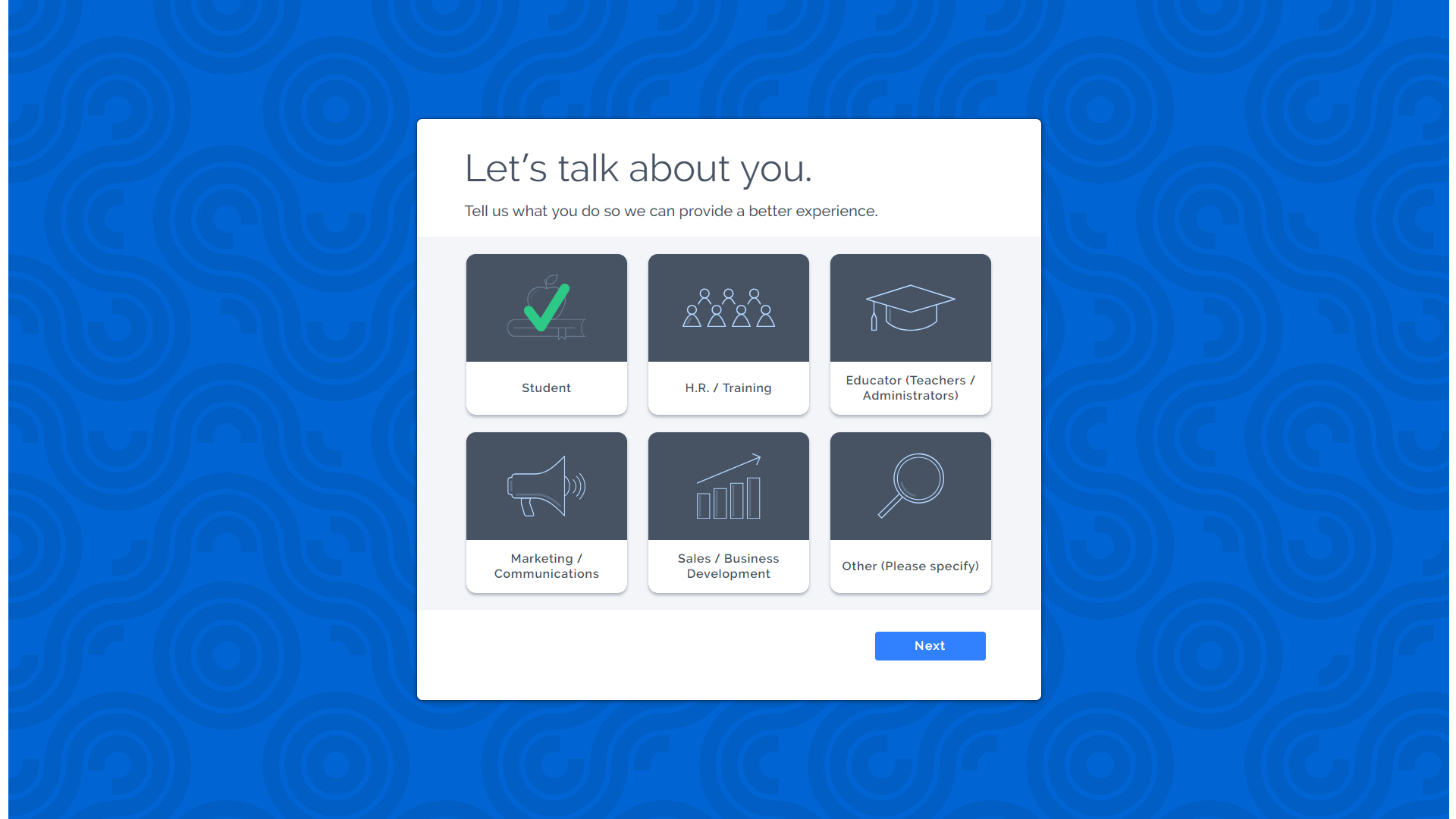
You can log onto the service with your account on facebook.com (Sign up with Facebook) or Google.com (Sign up with Google). Signing up finishes with a short personalization of the account
RI5hxOn1viPgW1
Zrzut z ekranu przedstawia formatkę, na której użytkownik prezi może wybrać grupę, do której będzie należeć (użytkownicy zajmują się w grupach podobnymi zadaniami, mają podobne zainteresowania). Na górze napis Let's talk about you. Poniżej napis: Tell us what you do so we can provide a better experience. Poniżej 6 ikonografik, po trzy w dwóch rzędach. Pierwsza zaznaczona zielonym znaczkiem przypominającym literę V przedstawia jabłko leżące na książce oraz napis Student. Druga przedstawia symbole siedmiu ludzi (w dwóch rzędach: 4 osoby, za nimi 3) oraz napis: H.R. / Training. Trzecia przedstawia studencką czapkę z frędzlem oraz napis: Educator (Teachers / Administrators). Poniżej czwarta przedstawia megafon oraz napis: Marketing / Communications. Piąta przedstawia 4 prostokątne słupki ustawione od najmniejszego do największego, ponad nimi strzałka pozująca wzrost, pod spodem napis Sales / Business Development. Szósta przedstawia lupę oraz napis: Other (Please Specify). W prawym dolnym rogu formatki przycisk z napisem: Next.
Certain components of the service require you to open an account - if your account is a single user account, you must not knowingly allow others to use your account.You must not use the service to harass, threaten, intimidate or impersonate anyone.
You must not upload any content that is unlawful, vulgar, libelous, racist or invasive of somebody else’s privacy.
You must not upload any content that violates the copyright, trademark, privacy, or other rights of third parties.
You must comply with all intellectual property. and other laws applicable to your use of the Service.
You must not upload any unauthorized advertising or promotional materials as well as “spam,” “chain letters,” etc.
If you have a Prezi Public (free) account, all of the content you create, including all of the information within your presentations, and your user name will be available to anyone who has access to the internet (“Public User Content”). Public presentations will appear in the searchable Prezi database, and will be available for other Prezi users to access and view online. Accordingly, you grant each user a license to access and view your work online. This license ends when you delete the presentation or your account is closed.
Easy changing of the scale of an object – “zooming” Creating a presentation with prezi.com you can forget about the standard switching between slides as known in MS PowerPoint. Making a mind map, we create a board of our presentation with all the information that we would like to show.
In the later stage of creating the presentation we can plan the process of the “journey” in our mind map. The user decides on the area that will be zoomed in or zoomed out from the indicated object when clicked by saving the “zooms”. Except for the previously established plan of the presentation, you can manually move on the mind map to reach the most important elements of the presentation.
R1XZxKLK5Zqbw1
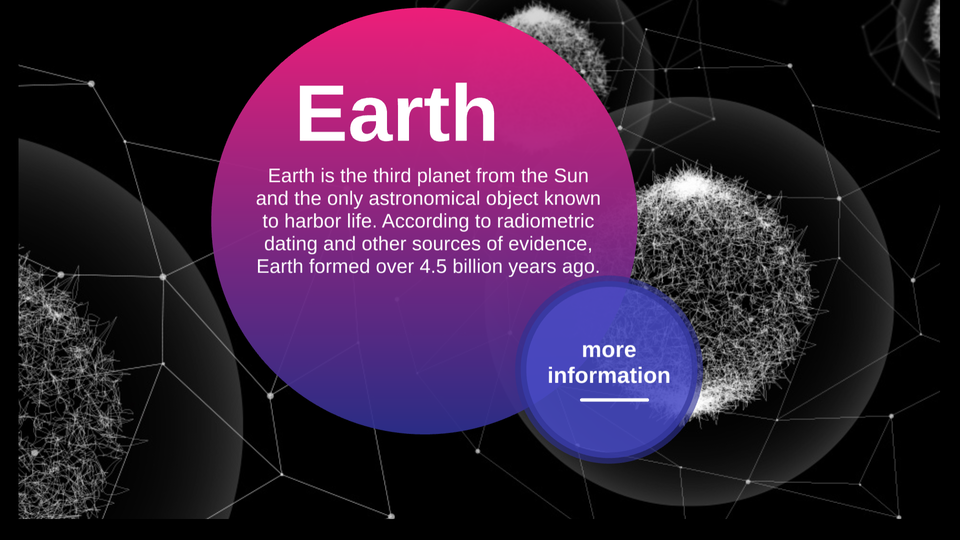
Prezentacja przedstawia przykład działania zoomingu - wchodzenia wgłąb prezentacji stworzonej w serwisie prezi.com Instrukcja obsługi z poziomu klawiatury: 1. Uruchomienie aplikacji - ENTER, 2. Na każdym ze slajdów czytany jest automatycznie tekst alternatywny po polsku, 3. Przy pierwszym uruchomieniu na pierwszym slajdzie, czytanie tekstu po angielsku - TAB, 4. Przejście między slajdami: do następnego slajdu - TAB, do poprzedniego slajdu - TAB + SHIFT, 5. Przejście do czytania napisu po angielsku - strzałka w górę + strzałka w dół (czyta tekst po angielsku widoczny na slajdzie).
Prezentacja przedstawia przykład działania zoomingu - wchodzenia wgłąb prezentacji stworzonej w serwisie prezi.com Instrukcja obsługi z poziomu klawiatury: 1. Uruchomienie aplikacji - ENTER, 2. Na każdym ze slajdów czytany jest automatycznie tekst alternatywny po polsku, 3. Przy pierwszym uruchomieniu na pierwszym slajdzie, czytanie tekstu po angielsku - TAB, 4. Przejście między slajdami: do następnego slajdu - TAB, do poprzedniego slajdu - TAB + SHIFT, 5. Przejście do czytania napisu po angielsku - strzałka w górę + strzałka w dół (czyta tekst po angielsku widoczny na slajdzie).
Using prezi.com service create a presentation about your favourite sports stars. Hint: You can use detailed information about the sports people as subtopics, e.g. achievements, private life, height, etc.
Prezi.com service allows several people to work with one presentation at the same time. It is an interesting method of realising a school project or others. Except for cooperation in creating a presentation, we can also conduct an online presentation for numerous viewers at the same time. Every user can either view the presentation according to the original plan or freely explore the mind map on their own.
Prezi.com service gives the opportunity to create a multimedia presentation online. It allows to make a virtual mind map in which the user can combine linear and non‑linear information both in a free brainstorm form and a model of detailed structure form (e.g. a tree). An interface working on the basis of zooming enables moving around the presentation. The user can move between interesting elements zooming them in or out. The author decides autonomously on the position of all the objects and the presentation path.
Exercises
Exercise 1
RbTGRgbH4c3h9
Wersja alternatywna ćwiczenia: Working in a cloud. Determine which sentences are true. Możliwe odpowiedzi: 1. allows multiple users to edit the presentation at the same time, 2. allows to make a presentation online for several users, 3. does not allow to save files online, 4. does not allow to work on one presentation on several devices at the same time
Wersja alternatywna ćwiczenia: Working in a cloud. Determine which sentences are true. Możliwe odpowiedzi: 1. allows multiple users to edit the presentation at the same time, 2. allows to make a presentation online for several users, 3. does not allow to save files online, 4. does not allow to work on one presentation on several devices at the same time
Working in a cloud. Determine which sentences are true.
allows multiple users to edit the presentation at the same time
allows to make a presentation online for several users
does not allow to save files online
does not allow to work on one presentation on several devices at the same time
zadanie
Source: GroMar, licencja: CC BY 3.0.
Exercise 2
Create a presentation about advantages and disadvantages of using two most popular multimedia presentation software– MS PowerPoint and Prezi.
Exercise 3
Describe in English how to create an account on prezi.com.
Exercise 4
R10xJql8MyvS9
Wersja alternatywna ćwiczenia: Indicate which pairs of expressions or words are translated correctly. Możliwe odpowiedzi: 1. mapa myśli - mind map, 2. chmura - cloud, 3. podtemat - subtopic, 4. konto użytkownika - user’s account, 5. ścieżka prezentacji - the sequence of slides , 6. sekwencja slajdów - the path of the presentation
Wersja alternatywna ćwiczenia: Indicate which pairs of expressions or words are translated correctly. Możliwe odpowiedzi: 1. mapa myśli - mind map, 2. chmura - cloud, 3. podtemat - subtopic, 4. konto użytkownika - user’s account, 5. ścieżka prezentacji - the sequence of slides , 6. sekwencja slajdów - the path of the presentation
Indicate which pairs of expressions or words are translated correctly.
mapa myśli - mind map
chmura - cloud
podtemat - subtopic
konto użytkownika - user’s account
ścieżka prezentacji - the sequence of slides
sekwencja slajdów - the path of the presentation
zadanie
Source: GroMar, licencja: CC BY 3.0.
RdQqOuGBgFEQB1
Interaktywna gra, polegająca na łączeniu wyrazów w pary w ciągu jednej minuty. Czas zaczyna upływać wraz z rozpoczęciem gry. Jeden ruch to odkrywanie najpierw jednej potem drugiej karty z wyrazem. Każdy wyraz jest odczytywany. Kolejny ruch to odkrywanie trzeciej i czwartej karty. W ten sposób odsłuchasz wszystkie wyrazy. Nawigacja z poziomu klawiatury za pomocą strzałek, odsłuchiwanie wyrazów enterem lub spacją. Znajdź wszystkie pary wyrazów.
Interaktywna gra, polegająca na łączeniu wyrazów w pary w ciągu jednej minuty. Czas zaczyna upływać wraz z rozpoczęciem gry. Jeden ruch to odkrywanie najpierw jednej potem drugiej karty z wyrazem. Każdy wyraz jest odczytywany. Kolejny ruch to odkrywanie trzeciej i czwartej karty. W ten sposób odsłuchasz wszystkie wyrazy. Nawigacja z poziomu klawiatury za pomocą strzałek, odsłuchiwanie wyrazów enterem lub spacją. Znajdź wszystkie pary wyrazów.
Match Polish terms with their English equivalents.
chmura
multimedia presentation
cloud
temat
user’s account
konto użytkownika
mind map
mapa myśli
topic
multimedia presentation
Source: Zespół autorski Politechniki Łódzkiej, licencja: CC BY 3.0.