Let's colour cells (A1:E1) yellow, and (A2:E2) - green and enter random numbers ranging from 1 to 10 in them. In cell A3 let's display information the average (arithmetic mean) of which cells is greater. Let's do the task in 3 stages.
Stage I – let's use the auxiliary cells F1 and F2 and calculate in them the arithmetic mean of the yellow and green cells using the AVERAGE functionfunctionfunction. Using the values of these cells, let's calculate in cell A3, with the use of the IF function which arithmetic mean is greater.
Stage II – based on the formulas in cells F1, F2, A3, let's do the same task in cell B3 by nesting the IF functionIF functionIF function without using the auxiliary cells F1 and F2.
Stage III – let's develop the so that it operates correctly also when the arithmetic means are equal.
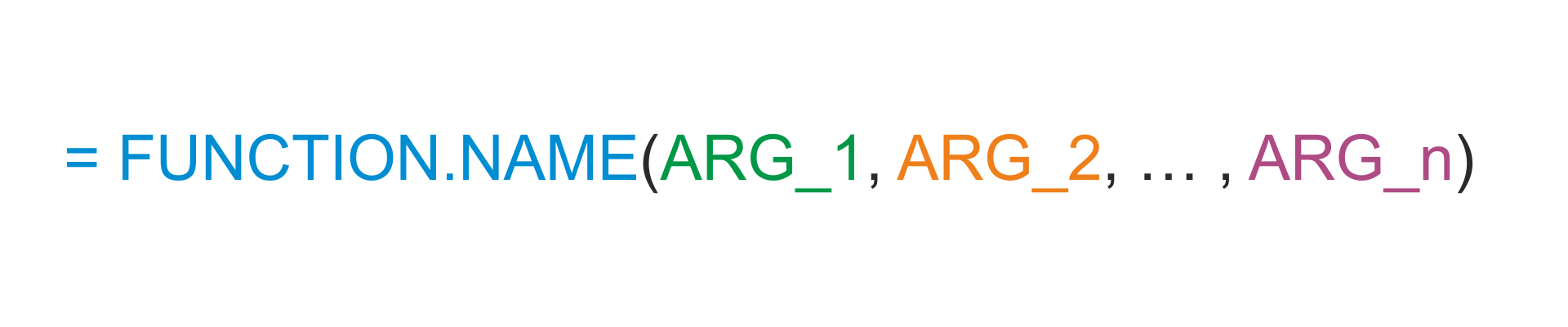
A nested functionnested functionnested function is a functionfunctionfunction that uses other function as its argumentargumentargument.
R1Yl15jI3fjky
Ilustracja interaktywna przedstawia fragment arkusza kalkulacyjnego z tabelą zajmującą komórki w zakresie C1:E5. Pierwszy wiersz (nagłówek tabeli) zawiera pola Student, Score, Grade. Drugi: John, 63, C. Trzeci Maggie, 79, B. Czwarty Margaret, 82, A. Piąty Harry, 77, B. W pasku Formuły widoczna zagnieżdżona funkcja IF wpisana w aktywną komórkę E2: =IF(D2>79,"A",IF(D2>69,"B",IF(D2>59,"C",IF(D2>49,"D","F")))). Na ilustracji widoczne są numery, a na nich podpisy. 1. If the Test Score (in cell D2) is greater than 79, then the student gets an A. {audio}, 2. If the Test Score is greater than 69, then the student gets a B. {audio}, 3. If the Test Score is greater than 59, then the student gets a C. {audio}, 4. If the Test Score is greater than 49, then the student gets a D. {audio}, 5. Otherwise the student gets an F. {audio}
Ilustracja interaktywna przedstawia fragment arkusza kalkulacyjnego z tabelą zajmującą komórki w zakresie C1:E5. Pierwszy wiersz (nagłówek tabeli) zawiera pola Student, Score, Grade. Drugi: John, 63, C. Trzeci Maggie, 79, B. Czwarty Margaret, 82, A. Piąty Harry, 77, B. W pasku Formuły widoczna zagnieżdżona funkcja IF wpisana w aktywną komórkę E2: =IF(D2>79,"A",IF(D2>69,"B",IF(D2>59,"C",IF(D2>49,"D","F")))). Na ilustracji widoczne są numery, a na nich podpisy. 1. If the Test Score (in cell D2) is greater than 79, then the student gets an A. {audio}, 2. If the Test Score is greater than 69, then the student gets a B. {audio}, 3. If the Test Score is greater than 59, then the student gets a C. {audio}, 4. If the Test Score is greater than 49, then the student gets a D. {audio}, 5. Otherwise the student gets an F. {audio}
we want to perform calculations faster without using interim calculations,
the function we need is not available in Excel, and the desired effect can be achieved using the combined operation of other existing functions.
Exercises
Exercise 1
R1LpxlcZzuar7
Wersja alternatywna ćwiczenia: We use function nesting when: Możliwe odpowiedzi: 1. we want to perform calculations faster without using interim calculations, 2. the function we need is not available in Excel, and the desired effect can be achieved using the combined operation of other existing functions, 3. we want to perform calculations slower without using interim calculations
Wersja alternatywna ćwiczenia: We use function nesting when: Możliwe odpowiedzi: 1. we want to perform calculations faster without using interim calculations, 2. the function we need is not available in Excel, and the desired effect can be achieved using the combined operation of other existing functions, 3. we want to perform calculations slower without using interim calculations
We use function nesting when:
we want to perform calculations faster without using interim calculations
the function we need is not available in Excel, and the desired effect can be achieved using the combined operation of other existing functions
we want to perform calculations slower without using interim calculations
zadanie
Source: GroMar, licencja: CC BY 3.0.
Exercise 2
Enter the first names of 5 people in column A, and their surnames – in column B. Combine the first names and the surnames in column C, and in column D create the initials of the people in the form F.S.
Describe the operations in English.
Exercise 3
On the Internet find the information on the tax scale applying in Poland for 2017. Based on the information, calculate the tax for 3 citizens: Kowalski, Nowak and Kot, who earned respectively: 1500 zł, 27 000 zł, 125 000 zł in 2017.
Exercise 4
RqdOcAG3gmRxN
Wersja alternatywna ćwiczenia: Indicate which pairs of expressions or words are translated correctly. Możliwe odpowiedzi: 1. wielokrotny wybór - multiple criteria, 2. funkcja zagnieżdżona - nested function, 3. funkcja jeżeli - IF function, 4. funkcja wbudowana - built-in function, 5. wielokrotny wybór - nested criteria, 6. funkcja zagnieżdżona - multiple multiple
Wersja alternatywna ćwiczenia: Indicate which pairs of expressions or words are translated correctly. Możliwe odpowiedzi: 1. wielokrotny wybór - multiple criteria, 2. funkcja zagnieżdżona - nested function, 3. funkcja jeżeli - IF function, 4. funkcja wbudowana - built-in function, 5. wielokrotny wybór - nested criteria, 6. funkcja zagnieżdżona - multiple multiple
Indicate which pairs of expressions or words are translated correctly.
wielokrotny wybór - multiple criteria
funkcja zagnieżdżona - nested function
funkcja jeżeli - IF function
funkcja wbudowana - built-in function
wielokrotny wybór - nested criteria
funkcja zagnieżdżona - multiple multiple
zadanie
Source: GroMar, licencja: CC BY 3.0.
RcG50UffdcicI1
Interaktywna gra, polegająca na łączeniu wyrazów w pary w ciągu jednej minuty. Czas zaczyna upływać wraz z rozpoczęciem gry. Jeden ruch to odkrywanie najpierw jednej potem drugiej karty z wyrazem. Każdy wyraz jest odczytywany. Kolejny ruch to odkrywanie trzeciej i czwartej karty. W ten sposób odsłuchasz wszystkie wyrazy. Nawigacja z poziomu klawiatury za pomocą strzałek, odsłuchiwanie wyrazów enterem lub spacją. Znajdź wszystkie pary wyrazów.
Interaktywna gra, polegająca na łączeniu wyrazów w pary w ciągu jednej minuty. Czas zaczyna upływać wraz z rozpoczęciem gry. Jeden ruch to odkrywanie najpierw jednej potem drugiej karty z wyrazem. Każdy wyraz jest odczytywany. Kolejny ruch to odkrywanie trzeciej i czwartej karty. W ten sposób odsłuchasz wszystkie wyrazy. Nawigacja z poziomu klawiatury za pomocą strzałek, odsłuchiwanie wyrazów enterem lub spacją. Znajdź wszystkie pary wyrazów.
Match Polish terms with their English equivalents.
argument
nested function
funkcja zagnieżdżona
function
funkcja
argument
Source: Zespół autorski Politechniki Łódzkiej, licencja: CC BY 3.0.